FlynCode: AI agent
for code in the terminal
Bring an idea — FlynCode takes it to a result: plan before code, screenshot verification and role-based agents. With your API key or on the free tier.
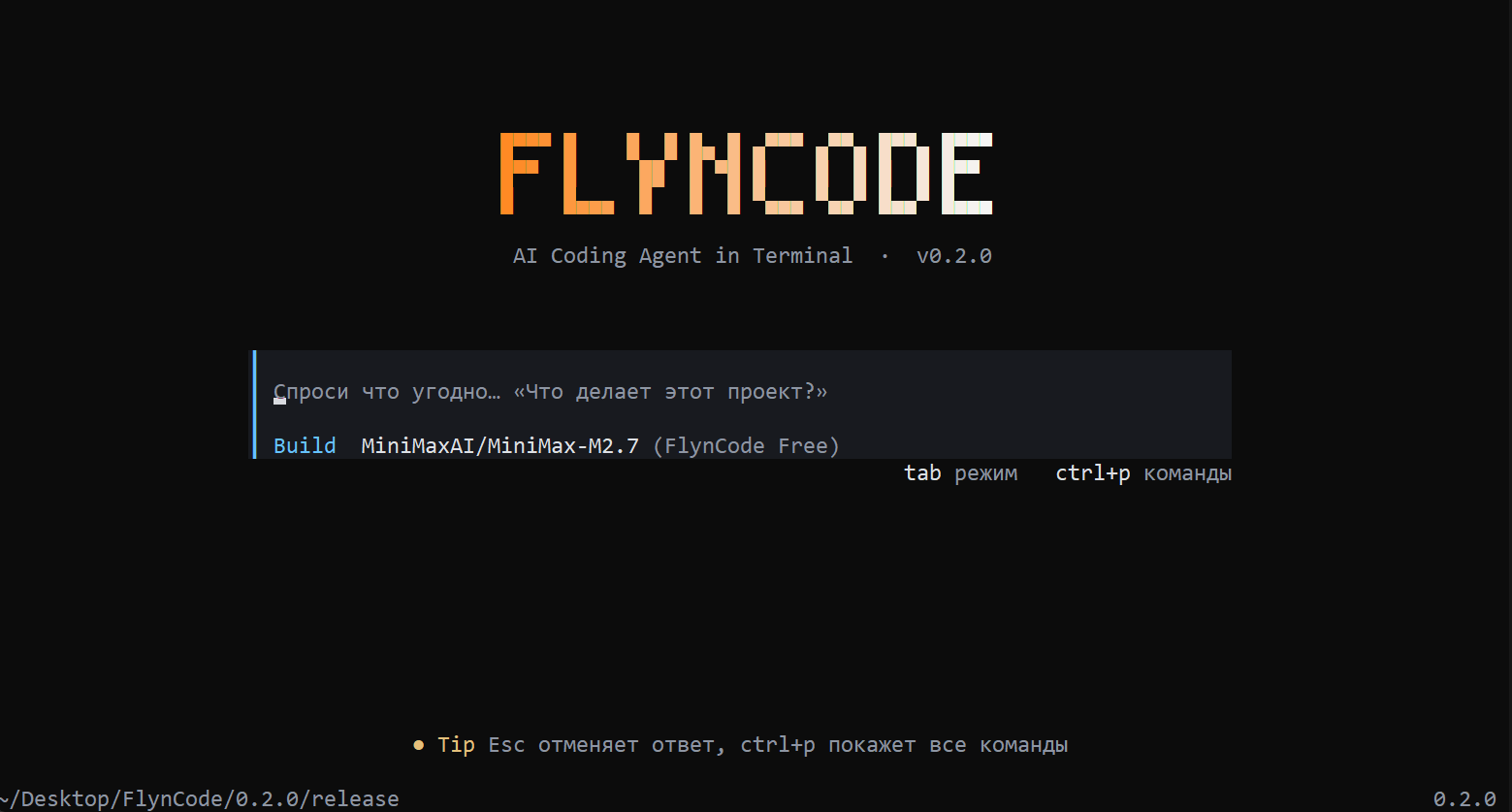
Any model — your key stays with you
Trusted by
01An agent that thinks before it writes
FlynCode reads the task, plans, writes code and verifies the result with its own eyes — you stay in control.
Plan before code
Breaks the task down, builds steps and acceptance criteria before touching your files.
Screenshot verification
Runs the result, takes a screenshot via Chrome or Edge and actually looks at it — not just at the code.
Role agents
Coder, tester, reviewer — create agents for roles and hand them parts of the task in turn. Nesting up to two levels.
Agent debate
The /debate command: several agents examine one task from different angles, and a judge model summarizes and explains the choice.
Token savings
Keeps only what the task needs in context. Less noise — faster answers and cheaper runs.
Any model
OpenAI, Anthropic, Google, DeepSeek, local Ollama — FlynCode adapts to your API key and settings.
02Six steps to a result
How the agent handles any task — from idea to a finished verification.
- 01
Thinks
Reads the task and the project, asks clarifying questions if anything is ambiguous.
- 02
Plans
Builds a short plan with acceptance criteria and shows it before starting work.
- 03
Writes
Touches only the files that matter. Minimal diff — less chance of breaking things.
- 04
Verifies
Runs tests and the app, takes screenshots of the result and studies them.
- 05
Reviews
Re-reads its own code and fixes it before showing you.
- 06
Delivers
Shows what changed and how to check it: run it, look, accept.
03Everything you need after install
Getting started, tiers, commands and hotkeys. The full list — the /help command inside the program.
Quick start
- 1Install with the command from the install section below.
- 2Open a new terminal in your project folder and run
flyncode. - 3Free tier — up to 50,000,000 tokens per day, reset at 00:00 UTC. Get a free key with
/key— no API key of your own needed. - 4Your own model — the
/provider,/keyand/modelcommands. The key stays with you; requests go straight to the provider.
Hotkeys
- Esccancel the agent's answer
- Ctrl+Ppalette of all commands
- Ctrl+Vpaste an image from the clipboard
- ↑ ↓menu selection · Enter — ok
Any file change can be reverted with /undo; the last answer is copied via /copy.
All commands
/helplist of commands
/modelpick a model (with search)
/modelsrefresh the model list
/providerswitch provider
/keychange API key
/thinkreasoning level
/permtool permissions
/cdchange working folder
/settingssettings
/usagetoken statistics
/toolstools: on / off, restore after undo
/agentsagents: Code, Search, Chat…
/debateagent debate with a judge verdict
/skillsskills: @name task
/clearnew chat
/exitquit
/tipshow to work with agents and skills
/compactcompact a long chat's memory
/verifyself-verification of answers: on / off
/runtimeruntimes: Bun, Node, Python, git
/historychat history: open, resume, delete
/chatschat list: open or delete
/exportexport a chat to Markdown
/modemode: Build / Plan / Chat
/planchat plan: show or clear
/sidebarright panel: on / off
/goalmain chat goal: show, set, reset
/attachattach a photo to the next message
/pastepaste an image from the clipboard
/trayhide the window to tray (Windows, regular console)
/copycopy the last answer to the clipboard
/undorevert the last file change
The full list — the /help command inside the program.
Live demo
Examples
"find the bug in app.py and fix it"the agent reads the file itself and asks permission to edit
@Code write testscall an agent
/debate should we cache responsesagent debate with a verdict
@Code > @Review taskseveral agents in turn, "+" — in parallel
How not to get lost with agents and skills — the /tips command.
04One agent — three products
The CLI is available right now. An Android and iOS app and a desktop version for PC are on the way.
The full agent in the terminal: plan before code, screenshot verification, role agents, any model. One-command install for Windows and Linux.
An Android and iOS app: the agent in your pocket, no terminal needed. Mobile versions in development.
Desktop — a PC version: the agent with a graphical window for Windows and Linux. In development.
05Install with one command
Pick your system, copy the command and paste it into the terminal.
The installer is a plain text script you can read before running: curl -fsSL https://installflyncode.pages.dev/install.sh | less. It doesn't change system settings except adding the program folder to your user PATH. After the install, open a new terminal and run flyncode.
06All of FlynCode is one file
The program lives in flyncode.py: read it line by line, change anything, use it freely. No dependencies — just the Python standard library.
MIT license
Use, study, modify and distribute freely — even in commercial projects. One condition: keep the copyright notice and license text.
License textNothing hidden
The installer is a plain text script you can read before running. The program has no telemetry and never sends your data anywhere.
How to installRun without installing
Download the file and run it as is: python flyncode.py — works without pip or building, Python 3.8+.
First stepsQuick answers
Yes. The free tier gives up to 50,000,000 tokens per day, reset at 00:00 UTC. Get a key with the /key command — no card needed.
Not for the free tier. Your own model connects via the /provider, /key and /model commands: the key stays with you and requests go straight to the provider.
Windows and Linux. One-command install, the whole agent is a single flyncode.py file on Python 3.8+ with zero dependencies.
Nowhere. No telemetry, no statistics. The code is open under the MIT license — you can read every line. Your API key is stored locally on your computer.